
VM Orders Module for Joomla/VirtueMart – Version 1.2.1
✓ Joomla 5✓ Joomla 6
Free download (ZIP)
Version 1.2.1, free to use. See the licence.
Tested on Joomla 6.2 and VirtueMart 4.8.4 11374
Listed in the Joomla Extensions Directory. Using it? A short review there helps other Joomla users.
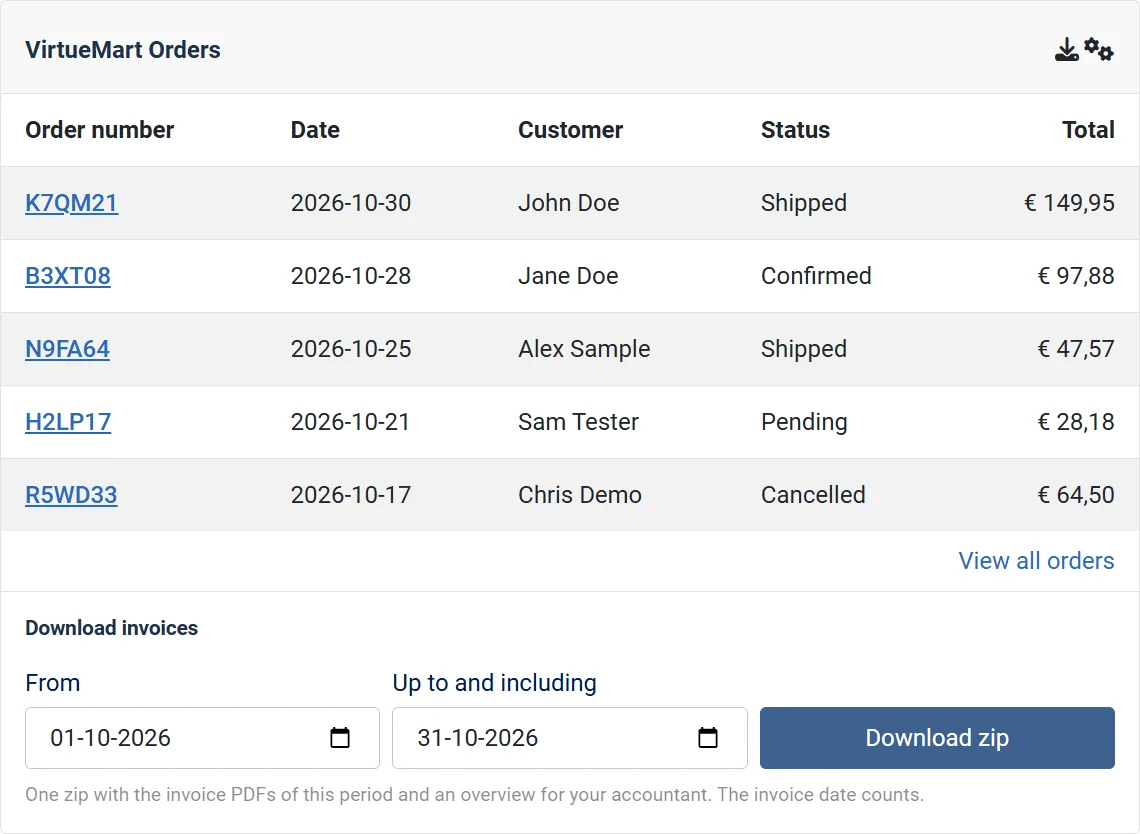
Keep a close eye on your VirtueMart store with the VM Orders admin module for Joomla. It shows your latest VirtueMart orders right on the Joomla administrator dashboard, with a direct link to each order. Install it, choose a position and you are done.
Key Features
- Latest orders with order number (linked to the order), date, customer, status and total
- Download the invoices of any period as one ZIP file, with a CSV overview for your accountant
- Guest orders show the customer name from the billing address
- Choose how many orders to show (1 to 50)
- Only visible to users who are allowed to manage VirtueMart
- English and Dutch included
- Automatic updates through the Joomla update system
System Requirements
- Joomla 5.x or 6.x
- VirtueMart 4.x
- PHP 8.1 or higher
Installation Guide
- Download the ZIP file with the button above
- In the Joomla administrator, go to System > Install > Extensions
- Upload the ZIP
- Go to Content > Administrator Modules, open "VM Orders", choose a position such as cpanel and publish it
Updating from version 1.0.x
Version 1.0.2 and older have no working update server. Install version 1.2.1 once over the existing module; your module settings stay. After that, new versions appear under System > Update > Extensions.
Released under the GNU General Public License version 3 or later. See the licence.