
Optimize Your Webshop with Virtuemart Product Hits.
✓ Joomla 5✓ Joomla 6
Version 1.1.2, free to use. See the licence.
Tested on Joomla 6.2 and VirtueMart 4.8.4 11374
Listed in the Joomla Extensions Directory. Using it? A short review there helps other Joomla users.
Want to know which products in your Virtuemart webshop attract the most attention? Virtuemart Product Hits offers a simple yet effective way to track product popularity. By analyzing this data, you can refine your marketing strategy and increase conversions.
What is Virtuemart Product Hits?
Virtuemart Product Hits is a powerful extension that tracks product views in your Virtuemart webshop. It enables you to see which products are getting the most attention from visitors. This insight helps you promote popular products more effectively and optimize less-viewed items.
Benefits of Virtuemart Product Hits
- Track product popularity – Identify the most viewed products.
- Improve marketing strategies – Optimize promotions based on real data.
- Increase conversions – Focus on products that generate the most interest.
- User-friendly interface – Easy to integrate and use within Virtuemart.
How Does Virtuemart Product Hits Work?
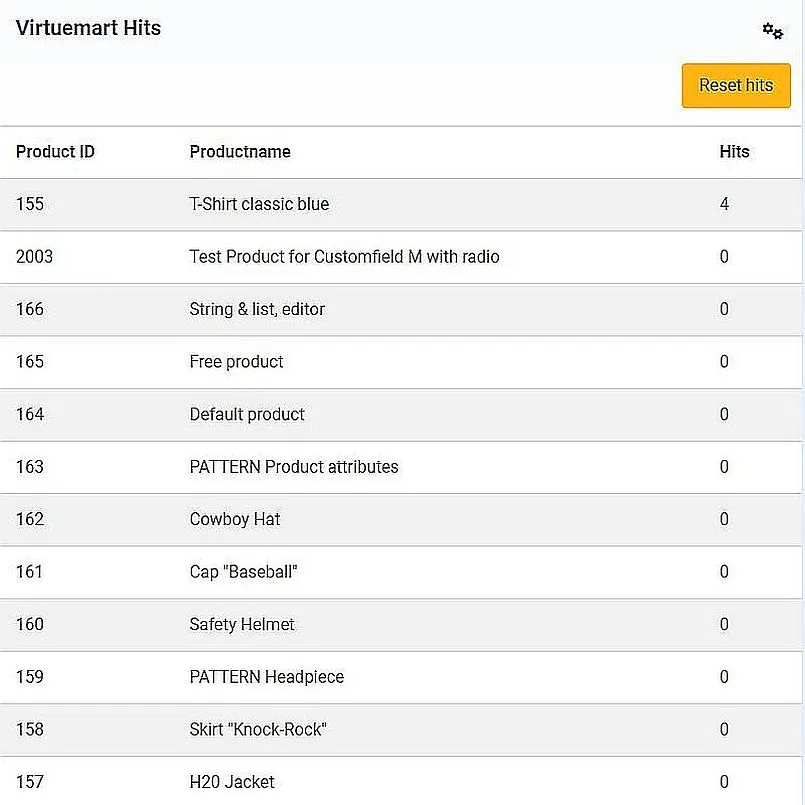
The package installs two parts. A system plugin adds one hit to a product every time a visitor opens its product page. An administrator module shows the most viewed products on the Joomla dashboard, with a link to edit each product and a button to reset all hits. You choose how many products the module shows.
Why Choose Virtuemart Product Hits?
This tool is perfect for webshop owners who want to make data-driven decisions. By understanding product popularity, you can improve inventory management, create targeted marketing campaigns, and boost revenue.
System Requirements
- Joomla 5.x or 6.x
- VirtueMart 4.x
- PHP 8.1 or higher
Installation Guide
- Download the ZIP file with the button above
- In the Joomla administrator, go to System > Install > Extensions
- Upload the ZIP. The plugin is enabled and the module is placed on the dashboard automatically
- Optional: set the number of products in Content > Administrator Modules
Updating from version 1.0.x
Version 1.0.x has no update server. Install version 1.1.2 once over the existing package; your settings stay. After that, new versions appear under System > Update > Extensions.
Released under the GNU General Public License version 3 or later. See the licence.